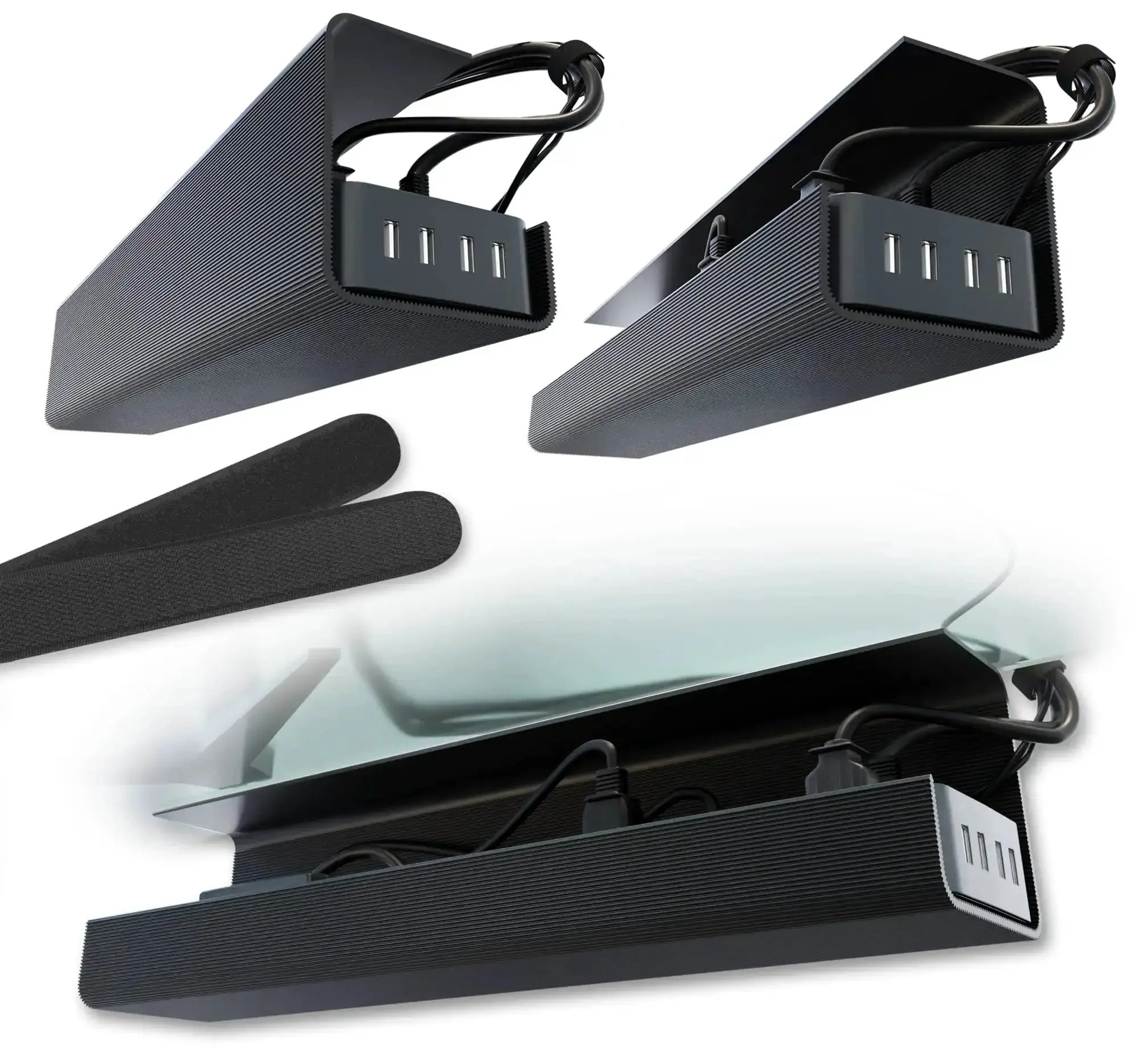


Under Desk Cable Management Tray Set Of 2 With Self Adhesive Installation No Screw Cord Organizer For Clean Desk Look Black Slim Cable Tray To Hide Wires And Tidy Your Workspace
✔️ Self-adhesive, screw-free desk trays, pack of 2 for tidy cables
These slim, black cable management trays mount under your desk with strong adhesive backing, keeping cords out of sight and your workspace clean. They’re ideal for desks, home offices, and any workspace needing a tidy, clutter-free surface.
✅ Strong adhesive backing for screw-free installation on wood, glass, and finished surfaces✅ Pack of 2 slim trays maximize desk space while hiding power strips and transformers
✅ Durable, sturdy design handles multiple cables without bending or losing adhesion
✅ Works on various surfaces, including glass and wood with smooth finishes
💡 What is the best way to manage desk cables with under-desk trays?
A handy approach keeps cords hidden yet accessible for quick changes.
- Group data cables separately from power and keep USB lines tidy- Route cables along tray edges toward the back for easy access
- Label cables at the tray edge for quick maintenance
Original: $463.79
-65%$463.79
$162.33Product Information
Product Information
Shipping & Returns
Shipping & Returns
Description
✔️ Self-adhesive, screw-free desk trays, pack of 2 for tidy cables
These slim, black cable management trays mount under your desk with strong adhesive backing, keeping cords out of sight and your workspace clean. They’re ideal for desks, home offices, and any workspace needing a tidy, clutter-free surface.
✅ Strong adhesive backing for screw-free installation on wood, glass, and finished surfaces✅ Pack of 2 slim trays maximize desk space while hiding power strips and transformers
✅ Durable, sturdy design handles multiple cables without bending or losing adhesion
✅ Works on various surfaces, including glass and wood with smooth finishes
💡 What is the best way to manage desk cables with under-desk trays?
A handy approach keeps cords hidden yet accessible for quick changes.
- Group data cables separately from power and keep USB lines tidy- Route cables along tray edges toward the back for easy access
- Label cables at the tray edge for quick maintenance